
The GloriaFood alternative with a free plan
Free up to 100 online orders a month per location, with 0% commission. Paste your GloriaFood ordering link when you sign up: your details, hours and pickup and delivery settings fill in, and your menu comes across as a draft to check and publish.
GloriaFood has announced it will shut down on . Add-ons are free for your first two months.
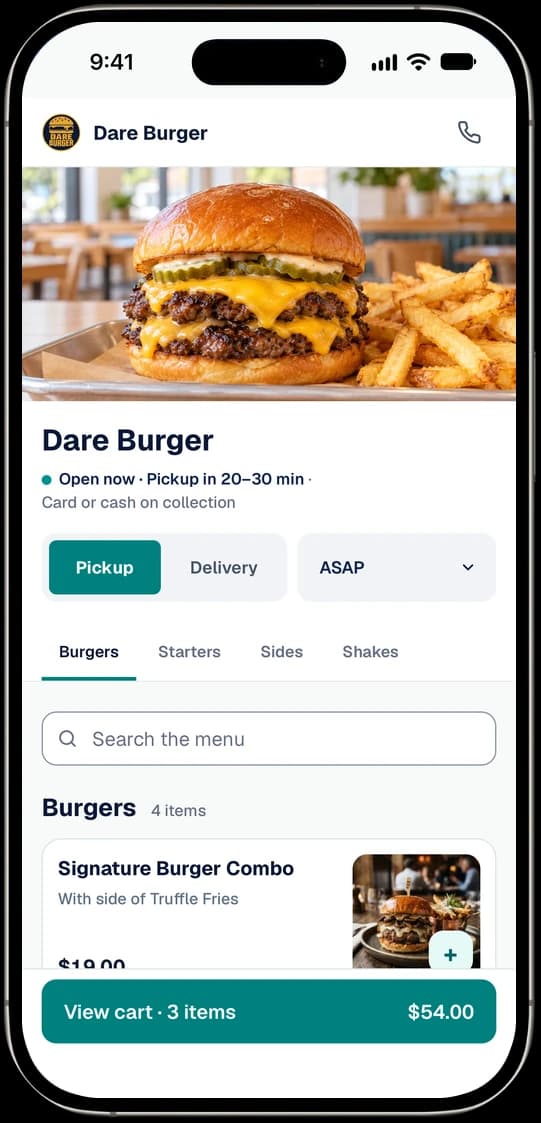
Switch with one link
TableSpring reads your restaurant and your menu straight from your GloriaFood ordering link. You don't need an export file or your GloriaFood password.
Copy your GloriaFood ordering link
Open your ordering page and copy the foodbooking.com address from your browser. The short link from your GloriaFood admin works too.
Paste it when you sign up
On the first setup screen, choose GloriaFood and paste the link. Your name, address, phone, opening hours, and pickup and delivery settings fill in, each marked for you to check.
Check your menu, then publish
The menu imports while you go through setup and waits as a new draft, with a report of anything to check. Guests see nothing until you publish it.
No link handy? Import from a PDF or photos of your printed menu, or from the menu page on your website.
Rather we do it? Contact us with your link and we'll set it up with you, free.
What works the way it did
The day-to-day of taking orders online stays familiar. Here's how each part works on TableSpring.
- Pickup and delivery
- Guests order for pickup or delivery from your own ordering page. Your own drivers deliver.
- Delivery zones
- Distance rings up to 25 miles, or lists of ZIP codes, each with its own fee and minimum order. On every plan.
- Card and cash
- Cards go through your own Stripe account and pay out to your bank, with tips and refunds. Cash works too.
- A QR code
- Your dashboard gives you a QR code for your ordering page, as PNG or SVG, ready to print.
- Orders at the counter
- New orders land on the order board in your browser on the phone, tablet or computer you already have, with a sound.
- Emails to guests
- Guests get an email when you accept their order, when pickup is ready, and when a delivery is on its way.
GloriaFood and TableSpring, side by side
Card payments included and nothing to install. GloriaFood's column comes from its own website.
Monthly price
- GloriaFood
- US$29 a month with card paymentsSource 1
- TableSpring
- Free up to 100 orders a month with card payments, then $29
Commission
- GloriaFood
- NoneSource 1
- TableSpring
- None
Delivery zones
- GloriaFood
- Drawn on a mapSource 1
- TableSpring
- Distance or ZIP code
Taking orders
- GloriaFood
- An app for Android and iOSSource 2
- TableSpring
- Any phone, tablet or computer. Nothing to install.
Promotions
- GloriaFood
- US$19 a month, plus 10% of each Autopilot orderSource 1
- TableSpring
- Offers, loyalty and email for $29 a month. No cut of orders.
| Feature | GloriaFood | TableSpring |
|---|---|---|
| Monthly price | US$29 a month with card paymentsSource 1 | Free up to 100 orders a month with card payments, then $29 |
| Commission | NoneSource 1 | None |
| Delivery zones | Drawn on a mapSource 1 | Distance or ZIP code |
| Taking orders | An app for Android and iOSSource 2 | Any phone, tablet or computer. Nothing to install. |
| Promotions | US$19 a month, plus 10% of each Autopilot orderSource 1 | Offers, loyalty and email for $29 a month. No cut of orders. |
- 1. gloriafood.com/pricing, as of .
- 2. gloriafood.com, as of .
What it costs
Every price is per location, per month. Card processing is Stripe's fee, charged on your own Stripe account.
$0
The free plan
Up to 100 online orders a month, with card payments, pickup, delivery and menu import.
$29
Unlimited orders
A month, for a location that takes more than 100 online orders a month.
0%
Commission
Nothing per order on any plan: not a percentage, not a flat fee.
Moving from GloriaFood? Your first two months of add-ons are free
- For restaurants moving from GloriaFood: import your menu from your GloriaFood ordering link, or send us the link.
- Sign up by April 30, 2027. Then contact us and we switch the offer on for your location.
- Unlimited orders and Marketing, any or all, free for two months from the day we switch it on. One offer per location.
- No card needed. When the two months end, each add-on stops unless you choose to keep it, and we email you a week before. Nothing is charged automatically.
Before
Five steps, in order. Give yourself a few weeks before the date for the last three.
Save what you want to keep
While you can still sign in to GloriaFood, download or write down anything you'll want later: reports, your customer details, your settings.
Set up TableSpring from your GloriaFood link
Sign up free and paste your GloriaFood link. Your details, hours, pickup and delivery settings and menu come over for you to check. Add back any delivery zones that didn't, publish your menu and connect payments.
Run both for a week or two
Place a few test orders on your new page while GloriaFood keeps taking real ones. Nothing you do here changes your GloriaFood account.
Update every link
Point your Google Business Profile, your website's order button and your social bios at your TableSpring page, and swap the QR codes on anything you print.
Switch over
Turn off ordering on GloriaFood once your links are moved, well before April 30, 2027.
Questions about moving from GloriaFood
All questionsIs TableSpring really free, like GloriaFood?
Free up to 100 online orders a month per location, with card payments, pickup, delivery and 0% commission included. GloriaFood's free plan has no order limit, so if a location takes more than 100 online orders a month, add Unlimited orders for $29 a month. There's no contract, no setup fee, and no card needed to start. Moving from GloriaFood? Unlimited orders and Marketing are free for your first two months.
Can you move my menu for me?
Yes, for free. You can also do it yourself: paste your GloriaFood ordering link when you sign up, and your details, hours and menu come over for you to check. If you'd rather we did it, contact us with your link or a copy of your printed menu and we'll set up your menu and ordering page with you, at no charge.
Do I need new hardware?
No. Orders arrive on the order board in your TableSpring dashboard, which runs in the web browser on the phone, tablet or computer you already have and plays a sound for new orders. If an order sits unanswered, we email you.
Will my Google order link change?
Yes. Your TableSpring ordering page has its own address. If your Google Business Profile has an order link to your GloriaFood page, replace it with your TableSpring address once your menu is published, and update your website, social bios and printed QR codes at the same time.
What about my customer list?
Every order on TableSpring adds the guest to your customer list, which you can export anytime. To bring an existing list, Marketing ($29 a month) imports a CSV of customers who agreed to hear from you, and each gets one email asking them to stay on your list.
Can I keep my delivery zones?
Some of them. A round zone centered on your restaurant with a flat fee comes over as a distance ring, with its fee and minimum. Zones drawn on a map and fees set by driving distance don't: setup lists them by name, fee and minimum so you can add them again as rings or ZIP codes. TableSpring zones are distance rings from a quarter mile to 25 miles in a straight line, or lists of ZIP codes, each with its own fee and minimum order, on every plan. Your own drivers deliver; we don't send couriers.
Still have a question?
Contact usStart taking orders with 0% commission
Free plan, no credit card, no contract.